
Every camera in, one cut out.
Drop in the angles of your podcast, interview or service. EditAI lines them up by sound, and Claude cuts between them while you watch. Then fix anything by hand. A native Mac app, free and open source, with nothing uploaded.
macOS 13+. MIT license. No account, no watermark, no upload.
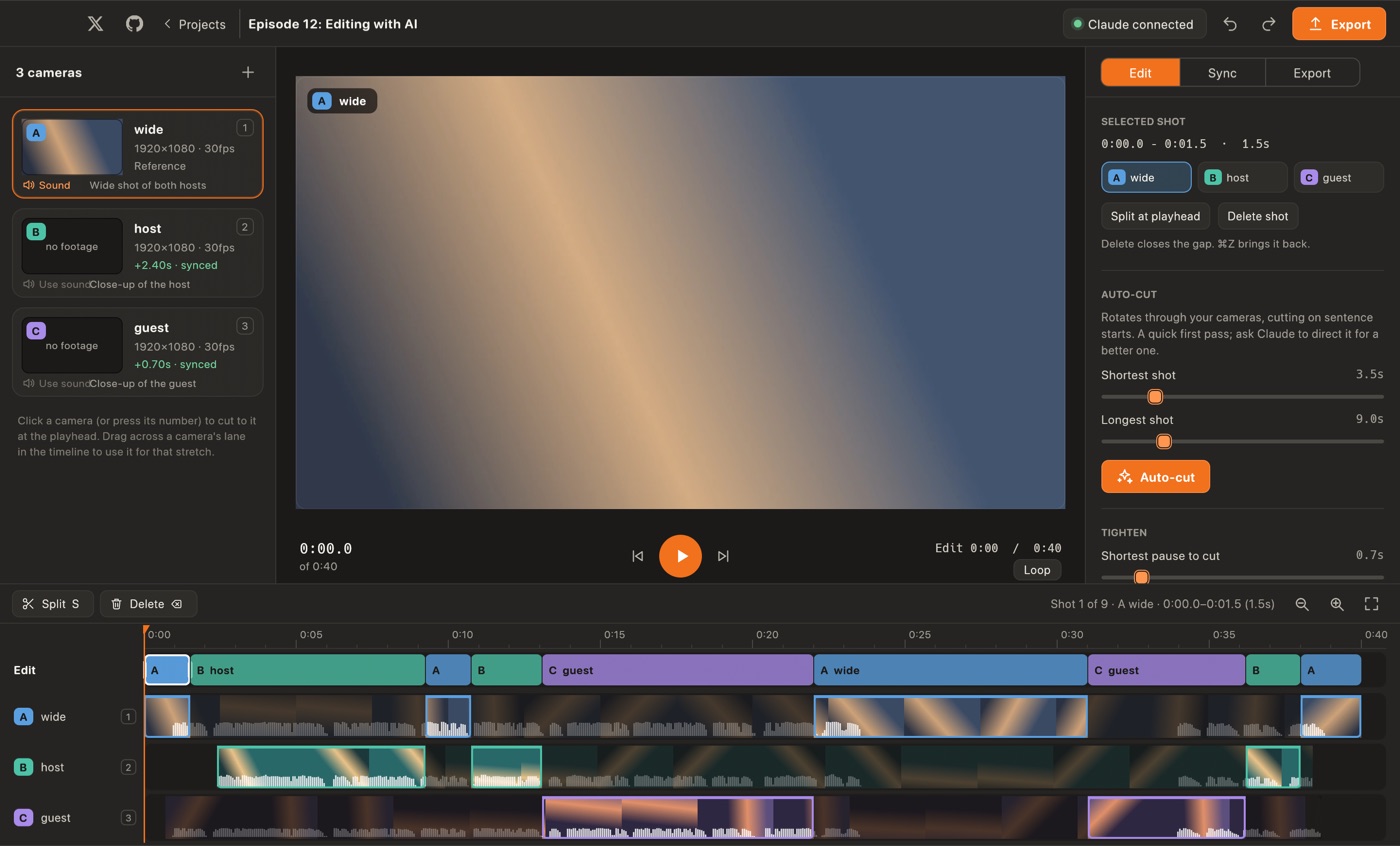
Many angles in, one edit out.
Just 3 Steps.
Drop
Drop in every camera's file. EditAI listens to each one and lines them up by their shared sound, to within a fraction of a frame.
Cut
Ask Claude to cut it, or run the built-in Auto-cut. Shots switch to whoever is speaking, with the wide for transitions.
Refine
Drag a shot's edge, paint another camera over a stretch, split, delete. Then export one video.
Cameras line up by sound
Every camera hears the same room. EditAI finds the same sound in each file with a phase-transform cross-correlation and places every camera on one timeline, even when the microphones, gains and start times all differ. Nudge by a frame if you ever need to.
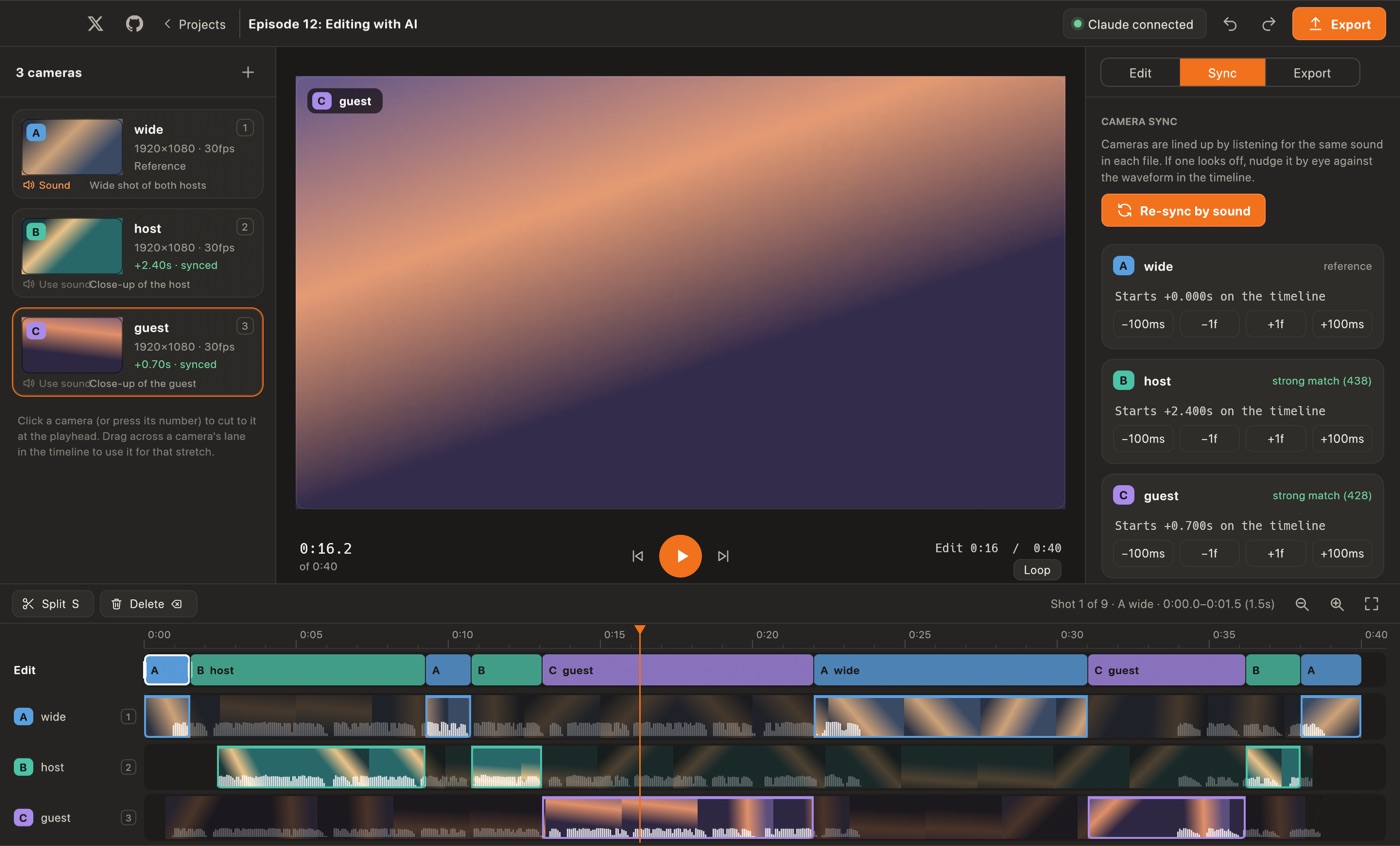
A real timeline for hand edits
One lane per camera with filmstrip and waveform, and an edit lane on top. Drag across a camera to use it for a stretch, drag an edge to trim, press 1 to 9 to cut to a camera at the playhead, even while it plays. Everything undoes.
Export exactly what you watched
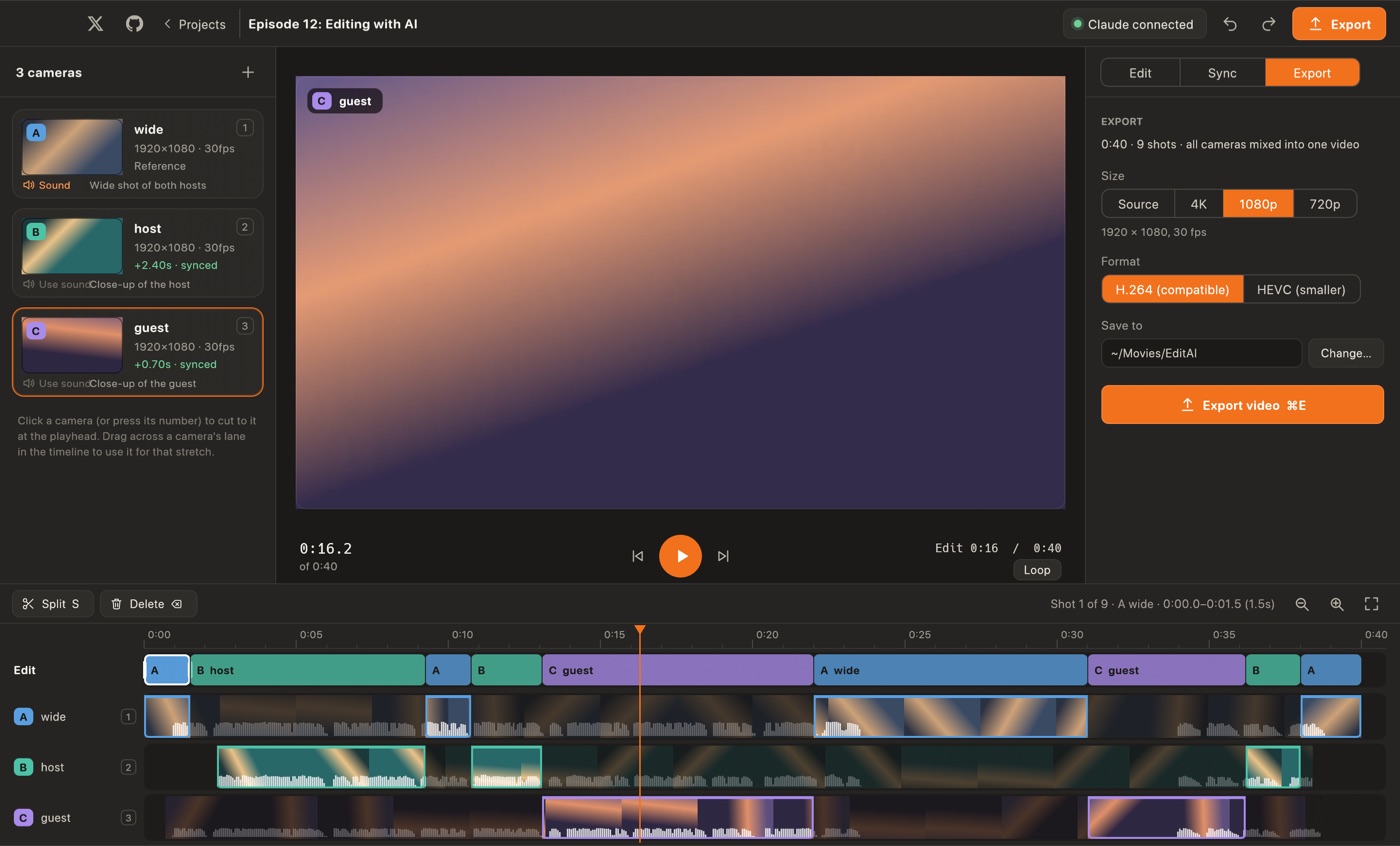
The preview and the export are built from the same plan, so there are no surprises. 4K, 1080p or 720p, H.264 or HEVC, mixed from every camera with the sound of the mic you choose. Encoding uses the Mac's own hardware encoders.
Claude directs the cut
- Local MCP server
editai-mcpships inside the app. Claude Desktop or Claude Code launches it on your Mac over stdio. Nothing is hosted, and there is no account or API key.- It can see and read
- Claude reads the transcript in numbered sentences and looks at one picture with a still from every camera at the moments it asks for, so it knows who is on each angle.
- It saves an edit, not a mess
- Claude sends a short list of switch points. They appear live in the timeline as a single undo step, and you carry on editing by hand.
The rest of the app
- Auto-cut
- No Claude needed for a first pass: rotate cameras on sentence starts with your shortest and longest shot.
- Remove silences
- One click ripple-deletes pauses, keeping air around speech so nothing is clipped.
- Choose the sound
- Use the microphone of any camera for the whole edit, or switch it later.
- On-device transcript
- whisper.cpp on the Metal GPU. Fast, Balanced or Best, downloaded once and only when you ask.
- Native app
- Rust and egui. No web view, no Electron. AVFoundation does the decoding, playback and encoding.
- Autosave and undo
- Every change is saved as you go, with unlimited undo and redo.
What people make with it
- Podcasts
- Cut a two-camera conversation to whoever is talking.
- Interviews
- Wide for the setup, close-ups for the answers, dead air gone.
- Church services
- Switch between the stage, the pulpit and the room.
- Panels and talks
- Follow the speaker across four cameras without scrubbing four timelines.
- Live shows
- Edit ISO recordings after the fact instead of switching live.
- Courses
- A face camera and a screen camera, cut together.
Why edit locally
| EditAI | Subscription editors | |
|---|---|---|
| Price | Free, MIT licensed | Usually a monthly fee |
| Multi-camera sync | Automatic, by sound | Often manual or a paid tier |
| AI cutting | Claude through a local MCP server | Built-in, hosted |
| Where footage goes | Stays on your Mac | Often uploaded |
| Account | None | Usually required |
| Watermark | Never | Often on free tiers |
| Manual control | Full timeline, undo everywhere | Varies |
| Source code | Open on GitHub | Closed |
| Telemetry | None | Often collected |
| Platforms | macOS | Mac, Windows or browser |
A general comparison, not a claim about any one product. Check any tool's current terms before you choose.
Quick keys in the editor
- Space Play and pause.
- 1–9 Cut to that camera at the playhead.
- S Split the shot at the playhead.
- ⌫ Delete the shot and close the gap.
- ⌘ Z Undo.
- ⌘ E Export.
What's new
0.1.0: first release
- Multi-camera projects. Drop several camera files in; each is decoded and listened to in parallel.
- Sync by sound. GCC-PHAT cross-correlation lines every camera up on one timeline, with per-camera match strength, manual nudging and re-sync.
- Timeline. One lane per camera with filmstrip and waveform, an edit lane, paint-a-camera, edge trimming with snapping, split, ripple delete, live camera keys 1 to 9, zoom and unlimited undo.
- Claude over MCP.
editai-mcpreads the transcript, looks at stills of every camera and saves an edit that appears live in the app. - Auto-cut and silence removal for a first pass without AI.
- On-device transcript with whisper.cpp (Fast, Balanced, Best).
- Export at 4K, 1080p or 720p, H.264 or HEVC, from the same plan as the preview. OS-licensed encoders only.
Built in the open
The whole app and this website live in one repository. Read it, file an issue, or send a fix.
Free under the MIT license. No account, no telemetry, no cloud rendering. Everything is lined up, transcribed, cut and exported on your own Mac, by a native Rust app.
Stop scrubbing four timelines.
Free for macOS. Download it, drop your cameras in.